Know what is still owed.
Record fees, follow payments and hand over a receipt. Find each student's situation in one place.
Fees and receipts from Starter. Email reminders with invoice from Essentiel.
School management · Africa
From preschool to secondary school, Kanda brings students, grades and finances together so your team works from the same information.
Grades and attendance, even offline.Included from Starter · See how it works
Tailored demo, then a guided 30-day trial.
No credit card · From 25,000 FCFA/month
A day with Kanda
Record fees, follow payments and hand over a receipt. Find each student's situation in one place.
Fees and receipts from Starter. Email reminders with invoice from Essentiel.
Teachers enter grades and attendance. Administration prepares the PDF report cards, with averages and comments.
Grades, report cards and timetable from Starter.
Grades, attendance, announcements and financial situation: families check their child's information from their phone.
Parent portal from Essentiel. Preschool included in every plan.
Built for intermittent connections
In class, teachers record grades and attendance on their device, then sync when the connection returns.
Offline mode included from Starter.
See offline mode in a demo →One initial connection and one sync are required on that device. Cash collection and online payments require internet.
Sign in and sync the school's data before working offline.
Browse the available data and record grades and attendance on this device.
Keep the app open when the connection comes back to send pending entries.
From payment to family tracking
Follow the same payment from the office all the way to what the parent sees.
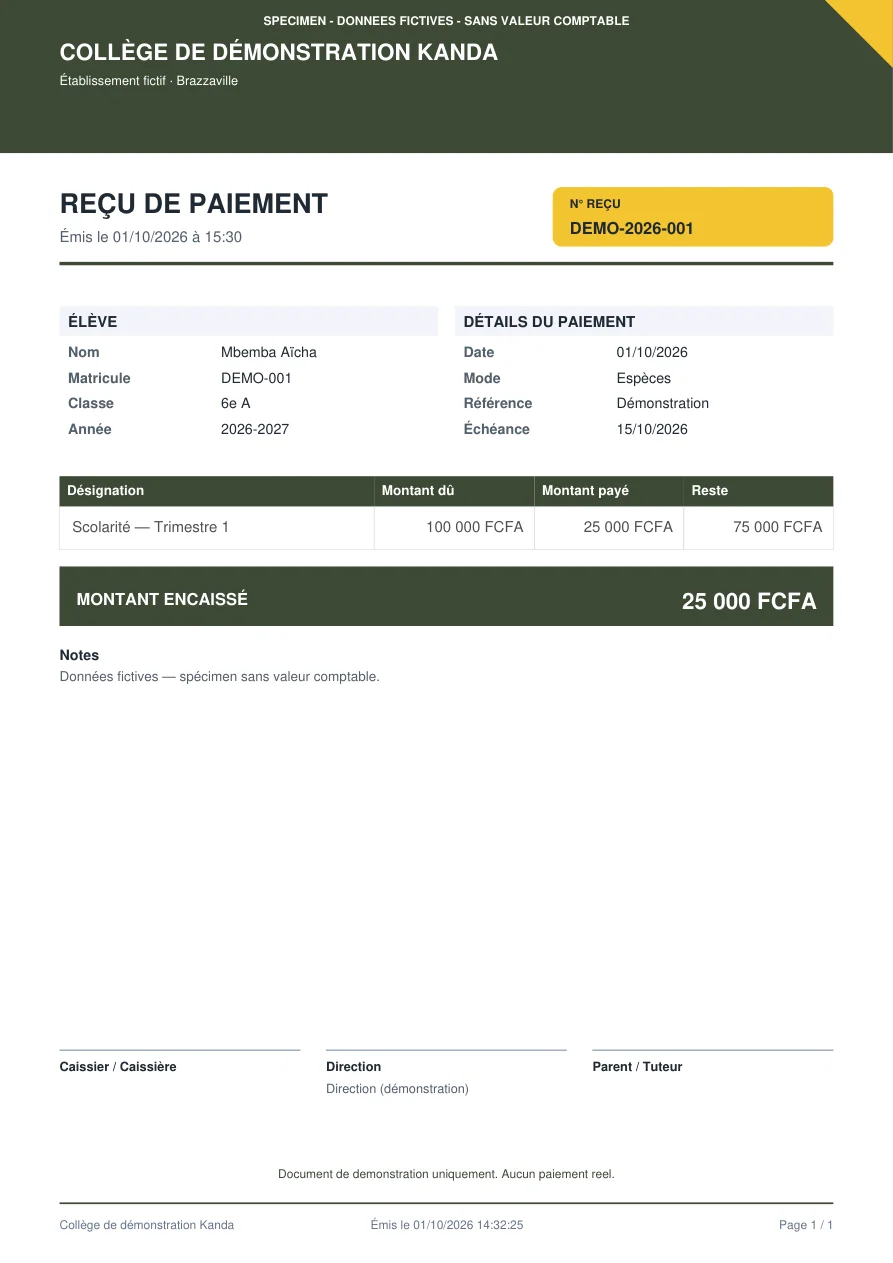
Walkthrough illustrated with fictitious data. The receipt is produced by the Kanda generator, then marked as a sample.
01 / Office or accounts
Aïcha owes 100,000 FCFA for the first term. Her family pays 25,000 FCFA in cash. The team selects the student and the fee, then records the amount received.
Fees, payments and receipts from Starter.
Sample payment · Fictitious data
02 / The document to hand over
The receipt shows the student, the fee, the amount received and its reference. Open the PDF to inspect the document matching our example.
Open the PDF receipt ↗Sample with no accounting value · No real payment.
03 / Parent portal
The parent checks the total due, the recorded payments and their child's balance. They find the 25,000 FCFA payment and the 75,000 FCFA still to pay.
Parent portal from Essentiel.
See this journey in a demo75,000 FCFA
25% of fees paid
Fee due date: 15 October 2026
Parent tracking illustration · Fictitious data
The result, right in front of you
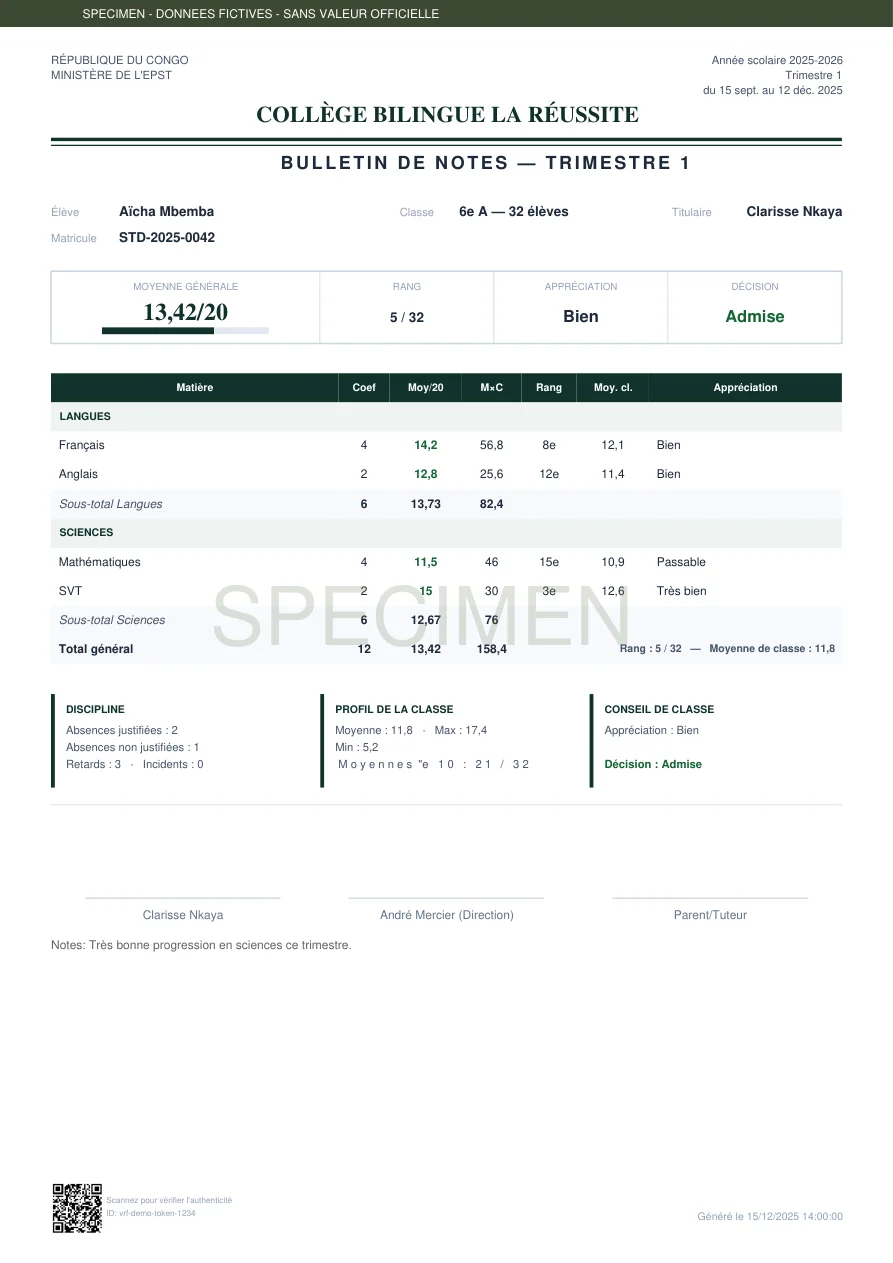
Report cards, school certificates, transcripts and financial statements are produced from your institution's data.
Official documents carry a reference and a public verification QR code.
These examples use fictitious people and institutions. The sample QR does not verify any real document.
Open the school certificate PDF ↗
Tailored to your institution
Learning journal, activity photos and skills tracking in a space dedicated to early years.
After syncing, browse the available data and enter grades and attendance without a network.
See how it works →Export the general journal, ledger and income statement as CSV with the Pro plan.
The Entreprise plan groups your branches and their tracking in a consolidated dashboard.
Enrolment and student records · Timetables · Documents and announcements · Library · HR, leave and payroll · Online payments · Inventory · Class councils
Availability depends on your plan. Compare features by plan →
A guided start
In 30 minutes we explore how you work, your student numbers and the tasks to simplify.
We prepare your workspace, then you receive the link to create your account and start the trial.
Import your student list, set up classes and fees, then put your team's daily work to the test.
Pricing in FCFA
Every plan includes grades, attendance, fees, timetable and preschool, plus offline grade and attendance entry. 30-day trial after invitation.
25,000 FCFA /month
Up to 150 students
Request a demo55,000 FCFA /month
Up to 600 students
Request a demo120,000 FCFA /month
Up to 2,000 students
Request a demoFrom 250,000 FCFA /month
Unlimited students · Multi-site
Request a demoYour data, your responsibilities
Access depends on the role: management, office, accounts, teachers or parents. Each institution has its own workspace.
Read our privacy policy (in French) →Yes, CSV import is included from Starter. Prepare your file and follow the steps in the guide.
No. The guided 30-day trial starts after your workspace is created by invitation.
It is available from Essentiel. Starter includes the administration and teacher spaces.
Kanda Campus offers tools dedicated to programmes, credits, GPA, internships and theses, depending on the plan.
Let's talk about your school
A 30-minute demonstration, focused on your priorities.